Modules / biostat
Biostatistics
Survival curves with the log-rank test, ROC curves, group comparisons, contingency tables and dose–response fits, from a CSV file.
- Version
- 0.1.2 in progress
- Follows
- Results checked against R and published values
- Level
- Medical and health research, postgraduate
- Needs
- Lab4IQM 1.7 or newer, Blender 4.2.0 or newer
- Commands
- 5
Try these
Each line is a command from the module's own examples; type it in the
Lab4IQM console after import biostat.
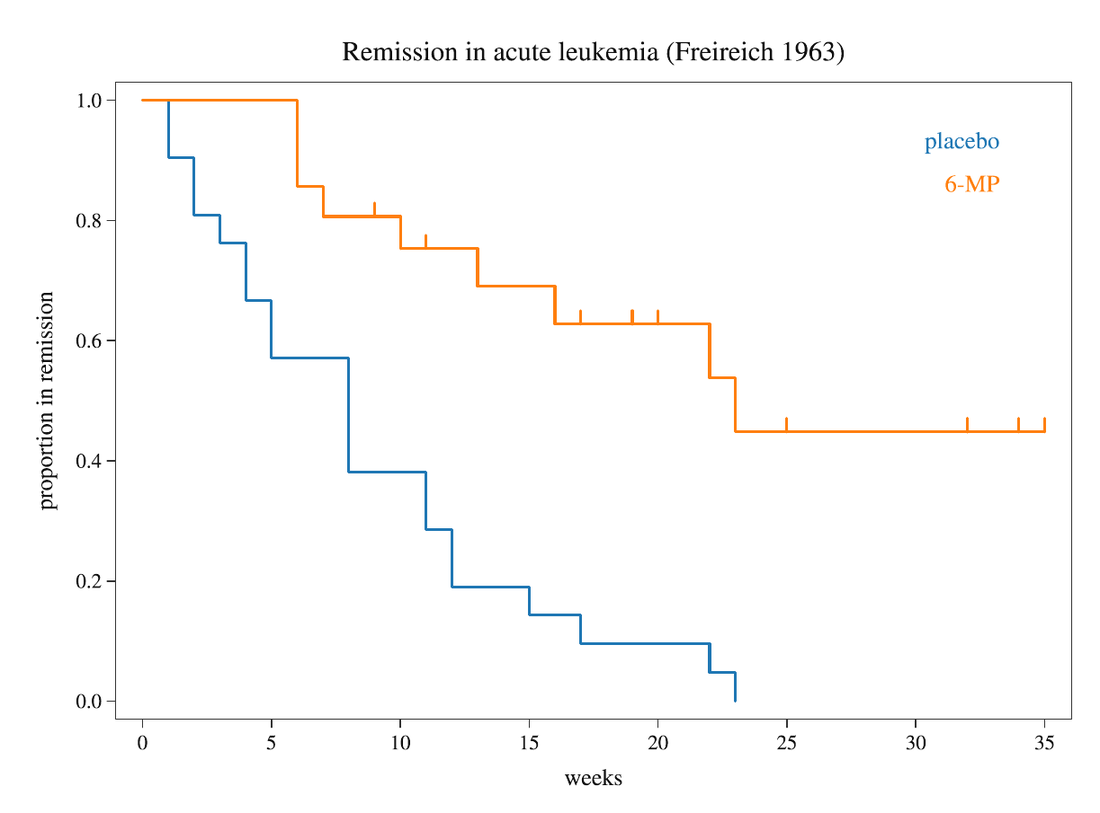
Survival: leukemia trial
km("biostat:leukemia.csv", time=weeks, event=relapse, group=drug); axes(title="Remission in acute leukemia"); view2d()Survival with 95% bands
km("biostat:leukemia.csv", time=weeks, event=relapse, group=drug, ci=true); view2d()ROC curve of a biomarker
roc("biostat:biomarker.csv", score=marker, outcome=disease); view2d()Compare groups (box plots)
compare("biostat:plants.csv", value=weight, group=group); view2d()Contingency table
crosstab("biostat:biomarker.csv", row=smoker, col=disease)Dose-response (EC50)
dose("biostat:doses.csv", dose=conc_uM, response=viability); view2d()Commands
help(biostat) in the console lists them with their options.
kmroccomparecrosstabdose